
背景
前面已经完成了钉钉自动化PDF加密数字证书签名,飞书和企业微信也应该同步跟进。可惜的是企业微信机器人限制普通机器人和使用URL回调接入的机器人不支持接收文件,只能是长连接智能机器人支持接收文件。
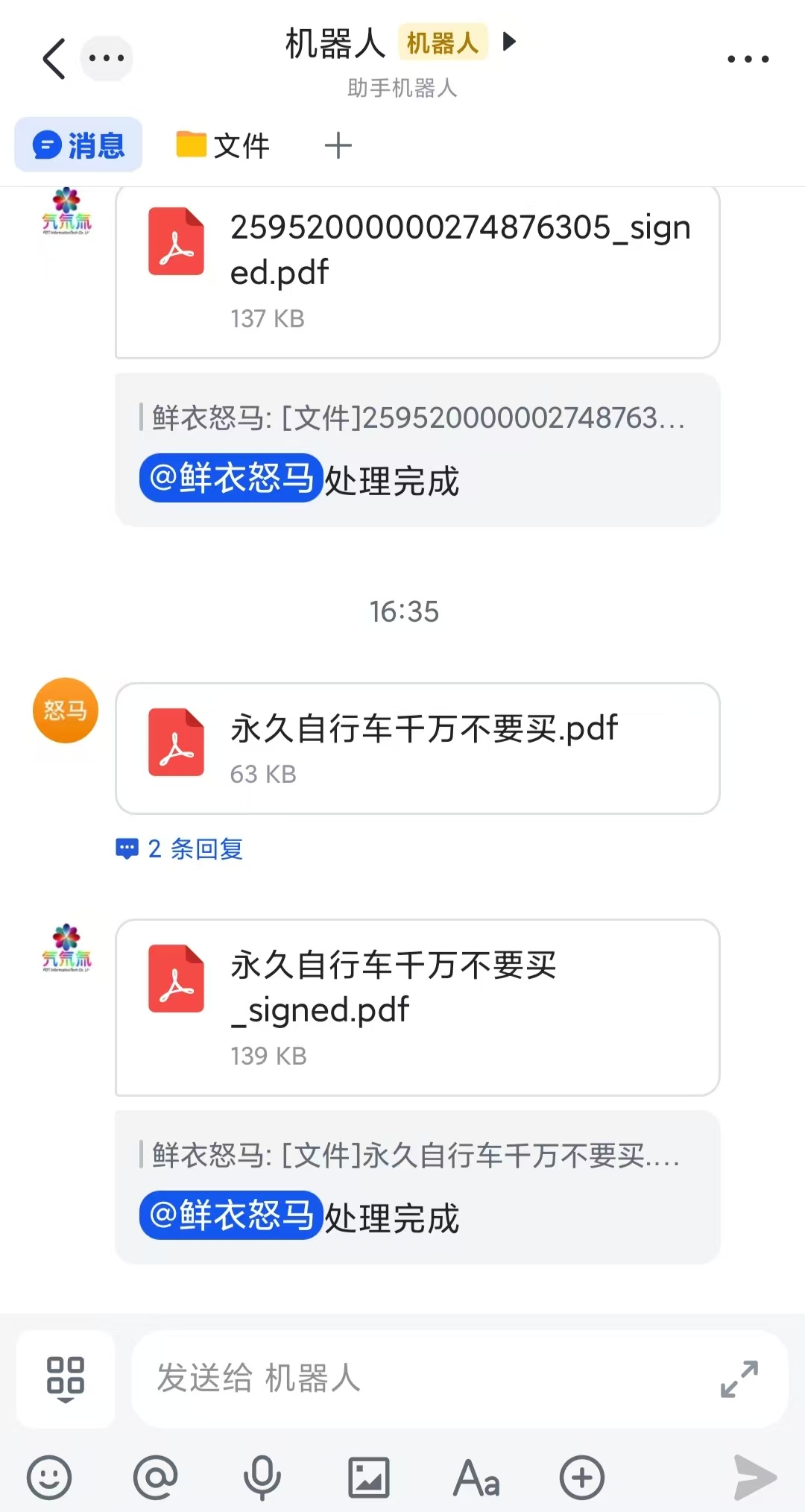
效果展示
核心代码
import org.apache.http.client.methods.CloseableHttpResponse;
import org.apache.http.client.methods.HttpGet;
import org.apache.http.impl.client.CloseableHttpClient;
import org.apache.http.impl.client.HttpClients;
import org.apache.http.util.EntityUtils;

import com.alibaba.fastjson.JSONObject;

import java.io.File;
import java.io.FileInputStream;
import java.io.FileOutputStream;
import java.io.IOException;
import java.io.InputStream;

import org.apache.http.HttpEntity;
import org.apache.http.client.methods.HttpPost;
import org.apache.http.entity.ContentType;
import org.apache.http.entity.StringEntity;
import org.apache.http.entity.mime.MultipartEntityBuilder;

public class FeishuUpDownUtil {

	/**
	 * 下载用户上传的文件
	 * @param msgId 消息ID
	 * @param fileKey 事件内的file_key
	 * @param saveName 保存文件名
	 * @return 本地绝对路径
	 */
	public String downloadFeishuFile(String token,String msgId, String fileKey, String savePath) {
	    String url = "https://open.feishu.cn/open-apis/im/v1/messages/" + msgId + "/resources/" + fileKey+"?type=file";

	    try (CloseableHttpClient client = HttpClients.createDefault()) {
	        HttpGet httpGet = new HttpGet(url);
	        httpGet.setHeader("Authorization", "Bearer " + token);
	        CloseableHttpResponse resp = client.execute(httpGet);
	        InputStream is = resp.getEntity().getContent();

	        // 写入本地
	        File outFile = new File(savePath);
	        try (FileOutputStream fos = new FileOutputStream(outFile)) {
	            byte[] buf = new byte[4096];
	            int len;
	            while ((len = is.read(buf)) != -1) {
	                fos.write(buf, 0, len);
	            }
	        }
	        resp.close();
	    } catch (IOException e) {
	    	System.out.println("下载文件失败");
			e.printStackTrace();
		}
	    return savePath;
	}

	/**
	 * 上传本地文件,返回可发消息的file_key
	 */
	public String uploadFeishuFile(String token,String localFilePath) {
	    String url = "https://open.feishu.cn/open-apis/im/v1/files";
	    File uploadFile = new File(localFilePath);

	    try (CloseableHttpClient client = HttpClients.createDefault()) {
	        HttpPost httpPost = new HttpPost(url);
	        httpPost.setHeader("Authorization", "Bearer " + token);

	        // 严格按照飞书要求构造multipart
	        MultipartEntityBuilder builder = MultipartEntityBuilder.create();
	        // 手动固定boundary,避免复杂符号解析失败
	        String boundary = "----feishu-file-upload-boundary-123456";
	        httpPost.setHeader("Content-Type", "multipart/form-data; boundary=" + boundary);
	        builder.setBoundary(boundary);

	        // 1. 文件类型 普通文件类型 固定小写file,强制UTF8
	        builder.addTextBody("file_type", "pdf",ContentType.TEXT_PLAIN.withCharset(java.nio.charset.StandardCharsets.UTF_8));
	        // 2. 文件名称
	        builder.addTextBody("file_name", uploadFile.getName(),ContentType.TEXT_PLAIN.withCharset(java.nio.charset.StandardCharsets.UTF_8));
	        // 3. 文件二进制
	        builder.addBinaryBody(
	                "file",
	                new FileInputStream(uploadFile),
	                ContentType.APPLICATION_OCTET_STREAM,
	                uploadFile.getName()
	        );

	        HttpEntity multipart = builder.build();
	        httpPost.setEntity(multipart);

	        CloseableHttpResponse resp = client.execute(httpPost);
	        String respJson = EntityUtils.toString(resp.getEntity(), "UTF-8");
	        System.out.println("upload feishu file: "+respJson);
	        resp.close();

	        // 解析返回file_key
	        JSONObject resObj = JSONObject.parseObject(respJson);
	        JSONObject data = resObj.getJSONObject("data");
	        return data.getString("file_key");
	    } catch (IOException e) {
	    	System.out.println("上传文件失败");
			e.printStackTrace();
		}
		return null;

	}

	/**
	 * 会话内回复文件消息,替代文本发送
	 * @param chatId 会话ID
	 * @param fileKey 上传接口返回的file_key
	 * @param showFileName 前端展示文件名
	 */
	public void replyFeishuFile(String token,String chatId, String fileKey, String showFileName) {
	    String url = "https://open.feishu.cn/open-apis/im/v1/messages?receive_id_type=chat_id";

	    // 构造文件消息体
	    JSONObject fileContent = new JSONObject();
	    fileContent.put("file_key", fileKey);
	    fileContent.put("file_name", showFileName);

	    JSONObject body = new JSONObject();
	    body.put("receive_id_type", "chat_id");
	    body.put("receive_id", chatId);
	    body.put("msg_type", "file");
	    body.put("content", fileContent.toString());
	    String reqJson=body.toString();
	    System.out.println(reqJson);

	    try (CloseableHttpClient client = HttpClients.createDefault()) {
	        HttpPost httpPost = new HttpPost(url);
	        httpPost.setHeader("Authorization", "Bearer " + token);
	        httpPost.setHeader("Content-Type", "application/json; charset=utf-8");
	        StringEntity reqEntity=new StringEntity(reqJson, java.nio.charset.StandardCharsets.UTF_8);
	        httpPost.setEntity(reqEntity);

	        CloseableHttpResponse resp = client.execute(httpPost);
	        System.out.println("发送文件返回:" + respStr);
	        resp.close();
	    } catch (IOException e) {
	    	System.out.println("回复文件消息失败");
			e.printStackTrace();
		}
	}
}
注意: 豆包给的参考代码
downloadFeishuFilereplyFeishuFile,参数是错误的,飞书毕竟是自己的东西,豆包都能搞错。type=file和receive_id_type=chat_id是URL参数,不是header